
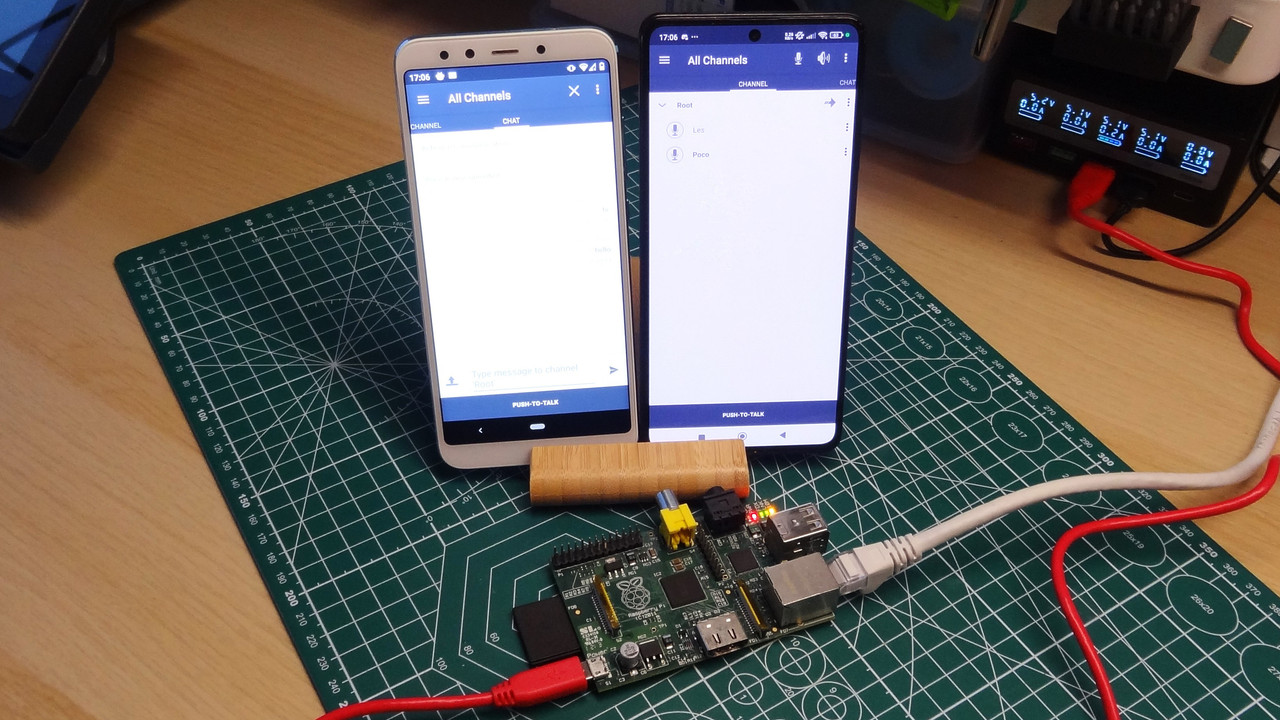

Smart home automation no longer requires expensive hubs, complicated wiring, or proprietary equipment. A small Raspberry Pi running Linux can become the foundation of a flexible home automation system that responds to sensors, controls appliances, monitors rooms, and manages security. For beginners and experienced makers alike, Raspberry Pi projects provide an excellent way to learn Linux while creating practical technology for everyday use.
The appeal of these projects comes from the combination of low-cost hardware and open software. You can connect temperature sensors, motion detectors, LEDs, relays, cameras, displays, and other components to a Raspberry Pi and control them through Linux-based applications. The projects can also grow gradually as your confidence improves. pblinuxtech enthusiasts can start with a simple automated light and eventually build a complete system that coordinates multiple rooms, sensors, and devices.
Before starting, it helps to understand the basic relationship between hardware, Linux, networking, and automation software. Once those pieces are clear, even ambitious smart home projects become easier to plan, troubleshoot, and customize.
Why Raspberry Pi Works Well for Home Automation
The Raspberry Pi is particularly useful for automation because it combines a compact computer with GPIO pins that can interact with electronic components. Linux provides the operating environment, while programming languages and automation applications provide the logic needed to make decisions.
Unlike many closed smart home products, a Raspberry Pi gives users considerable control over how their system operates. You can decide which services run, what information is stored, how devices communicate, and what happens when a sensor detects an event.
Key advantages include:
- Low power consumption
- Affordable hardware
- Linux-based software flexibility
- GPIO support for electronic components
- Wired and wireless networking
- Support for Python and other programming languages
- Easy expansion as your project grows
- Local processing without depending entirely on cloud services
For pblinuxtech readers interested in Linux administration, these projects also provide practical experience with services, permissions, networking, logs, automation scripts, and system maintenance.
Essential Hardware for Raspberry Pi Automation
You do not need every component at once. A better approach is to purchase hardware according to the project you want to build. A Raspberry Pi board, reliable power supply, microSD card or suitable storage, and network connection are usually the starting points.
Sensors and output devices can then be added depending on the automation goal. A temperature sensor might be appropriate for climate monitoring, while a motion sensor can support lighting or security automation.
| Component | Common Smart Home Use | Difficulty |
|---|---|---|
| Raspberry Pi | Main automation controller | Beginner |
| PIR sensor | Motion detection | Beginner |
| Temperature sensor | Room monitoring | Beginner |
| Relay module | Appliance switching | Intermediate |
| LED strip | Automated lighting | Beginner |
| Camera module | Security monitoring | Intermediate |
| OLED display | Local information panel | Intermediate |
| Smart plug | Remote appliance control | Beginner |
| Environmental sensor | Temperature and humidity | Beginner |
| Door sensor | Entry monitoring | Beginner |
When working with electrical appliances, safety should come first. Low-voltage experiments are ideal for beginners. Mains-powered equipment should only be connected through properly rated hardware and safe installation practices.
Build an Automated Room Lighting System
Automated lighting is one of the easiest Raspberry Pi Linux projects to understand because the result is immediately visible. A motion sensor can detect activity in a room, and the Raspberry Pi can use that information to switch an LED or compatible smart light on for a defined period.

The project can be expanded with additional conditions. For example, the system could activate lights only during evening hours or when ambient light falls below a particular threshold. A simple timer can also turn the lights off automatically after inactivity.
A basic lighting project teaches several useful concepts:
- Reading sensor input
- Controlling output devices
- Writing conditional logic
- Running scripts automatically
- Managing Linux services
- Troubleshooting GPIO connections
Once the basic version works, you can add separate rules for bedrooms, hallways, garages, or outdoor areas. This creates a foundation for more sophisticated automation without making the initial project unnecessarily complicated.
Create a Raspberry Pi Temperature Monitor
A temperature monitoring system is another useful project because it combines sensors, Linux software, data collection, and visualization. The Raspberry Pi can periodically read a temperature sensor and save measurements locally.
Instead of checking the temperature manually, you can build a dashboard that displays current and historical readings. Recording measurements at regular intervals also makes it possible to identify patterns, such as rooms that become unusually warm during the afternoon.
pblinuxtech enthusiasts can use this project to explore Linux scheduling tools, Python scripts, text files, databases, and simple web interfaces. You could eventually extend the system to monitor humidity, air quality, or multiple rooms.
A practical version might record:
- Current temperature
- Average daily temperature
- Minimum and maximum readings
- Humidity percentage
- Time of each measurement
- Sensor status
This type of project demonstrates that smart home automation is not only about controlling devices. Collecting useful information can be equally valuable.
Develop an Automated Security Monitor
A Raspberry Pi camera can transform a basic Linux computer into a small security monitoring station. A camera, motion sensor, and storage system can work together to detect activity and record footage when necessary.
The simplest design captures an image whenever motion is detected. More advanced versions can save short video clips, organize recordings by date, and provide a local interface for reviewing them.
The project should be designed carefully to avoid unnecessary recording. Storage capacity should also be considered because continuous video can consume disk space quickly. Motion-triggered recording is generally more efficient for a small home setup.
Useful features can include:
- Motion-triggered image capture
- Scheduled monitoring
- Local video storage
- Timestamped recordings
- Storage cleanup rules
- Status notifications
- Multiple camera support
This project gives Linux learners hands-on experience with processes, storage management, file permissions, automation scripts, and network access.
Build a Smart Door and Window Alert System
Door and window sensors can provide another practical automation project. Magnetic contact sensors can detect whether an entry point is open or closed. The Raspberry Pi can monitor these signals and trigger an appropriate response.
For example, opening a door after a certain time could activate an alert or log the event. During the day, the same sensor could simply record activity without triggering an alarm.
A useful improvement is to combine multiple sensors. A front door, back door, garage, and selected windows can all report to the same Raspberry Pi. A small dashboard can then display their current states.
This project also teaches an important automation principle: events should trigger actions based on context. Instead of treating every sensor event identically, your software can apply different rules depending on time, location, and system status.
Control Appliances Through Safe Automation
One of the most interesting Raspberry Pi projects is appliance automation. A Raspberry Pi can communicate with compatible smart plugs or properly designed relay systems to control devices according to schedules or sensor readings.
For example, an automation rule could operate a low-risk device according to a timetable. Another rule could activate ventilation when temperature rises beyond a chosen threshold.
However, appliance control requires more attention to safety than LED or sensor projects. Beginners should avoid directly experimenting with household mains electricity. Using certified smart plugs or professionally installed switching equipment is a safer approach.
The Linux side of the project can remain highly educational. You can create scripts that:
- Execute scheduled actions
- Check sensor readings
- Record device activity
- Handle failed commands
- Restart unavailable services
- Maintain automation logs
This turns a simple controller into a reliable home automation platform.
Create a Central Linux Smart Home Dashboard
After building several individual projects, bringing them together into one dashboard can make the system much more useful. The Raspberry Pi can provide a central interface showing temperatures, motion events, door states, lighting status, and other information.
A dashboard can be accessed from a computer, tablet, or phone connected to the same network. Instead of managing separate scripts independently, you can organize automation rules in one place.
pblinuxtech users can treat this as a practical Linux administration project. The Raspberry Pi may run multiple background services, store sensor data, provide a local interface, and communicate with other devices simultaneously.
A well-designed dashboard might show:
Room Status: Temperature, humidity, and motion
Security: Door and window states
Lighting: Current status and scheduled actions
Energy: Estimated or measured consumption
System: CPU temperature, storage capacity, and network status
Keeping the interface simple is important. A dashboard should make information easier to understand rather than overwhelming users with technical details.
Add Voice-Controlled Automation
Voice control can make a smart home system more convenient. A Raspberry Pi can be integrated with compatible voice-assistant software or network services so that commands can trigger automation routines.
For example, a voice command could request that a particular light be switched on or that the current room temperature be reported. More advanced systems can use routines that combine several actions.
Voice automation should be treated as an optional layer rather than the foundation of the project. Your underlying sensors and automation rules should continue working even if voice control becomes unavailable.
This approach creates a more resilient system and helps learners understand the difference between core automation logic and optional interfaces.
Monitor Home Energy Usage
Energy monitoring is an excellent project for users who want smart automation to provide practical savings. Depending on the available hardware, a Raspberry Pi can collect electricity-related measurements and present them in a dashboard.
Rather than focusing only on total consumption, the system can help identify patterns. You might discover that certain equipment consumes power for long periods or that usage increases at specific times.
An energy monitoring project can include:
- Daily consumption tracking
- Monthly summaries
- Usage comparisons
- Device-level measurements
- Threshold alerts
- Historical charts
Accurate electrical measurement can involve specialized equipment and potentially hazardous voltages, so beginners should use certified monitoring devices rather than attempting unsafe direct electrical measurements.
Use Linux Automation to Connect Everything
The real strength of Raspberry Pi home automation appears when individual projects begin working together. A temperature sensor can influence ventilation, a motion sensor can control lighting, and a door sensor can update the security dashboard.
Linux provides the infrastructure required to keep these components running. Services can start automatically after boot, scheduled tasks can execute at specific times, and logs can help identify problems.
pblinuxtech learners should pay particular attention to reliability. A smart home system that works once but stops after a reboot is not truly automated. Good projects include automatic startup, sensible error handling, backups, storage monitoring, and clear logs.
Before expanding the system, test each component separately. Then combine them gradually. This makes troubleshooting much easier than attempting to construct an entire automation network simultaneously.
Security and Maintenance Best Practices
A Raspberry Pi connected to your home network should be treated like any other computer. Changing default credentials, applying updates, limiting unnecessary services, and using strong authentication can reduce avoidable risks.
It is also important to protect the data generated by cameras and sensors. Keep sensitive information stored securely and avoid exposing administrative interfaces directly to the public internet.
Regular maintenance should include:
- Updating Linux packages
- Reviewing system logs
- Checking storage capacity
- Backing up configuration files
- Testing automation after updates
- Removing unused services
- Monitoring CPU temperature
- Verifying network connectivity
Security should be considered from the beginning rather than added after the project is complete.
How to Expand Your Smart Home Project
A major benefit of Raspberry Pi automation is its scalability. You can begin with one sensor and gradually develop a coordinated system.
A sensible progression might look like this:
- Install Linux and learn basic terminal commands.
- Connect a simple sensor.
- Write a small script to read its data.
- Add an output such as an LED.
- Introduce scheduled automation.
- Store readings for later analysis.
- Build a local dashboard.
- Add additional rooms or sensors.
- Improve security and reliability.
- Create advanced routines combining multiple devices.
This incremental approach prevents unnecessary complexity and gives you useful experience at every stage.
Conclusion: Turn a Small Computer Into a Smart Home
Raspberry Pi Linux projects offer an affordable and highly flexible way to explore smart home automation. From motion-activated lighting and temperature monitoring to security cameras, energy tracking, appliance control, and centralized dashboards, the possibilities extend far beyond simple experiments. The most effective projects are not necessarily the most complicated. A small automation that reliably solves a real household problem can teach more than an oversized system filled with features you rarely use. Start with low-voltage hardware, learn how Linux manages services and devices, and gradually introduce networking, data collection, and automation rules.